
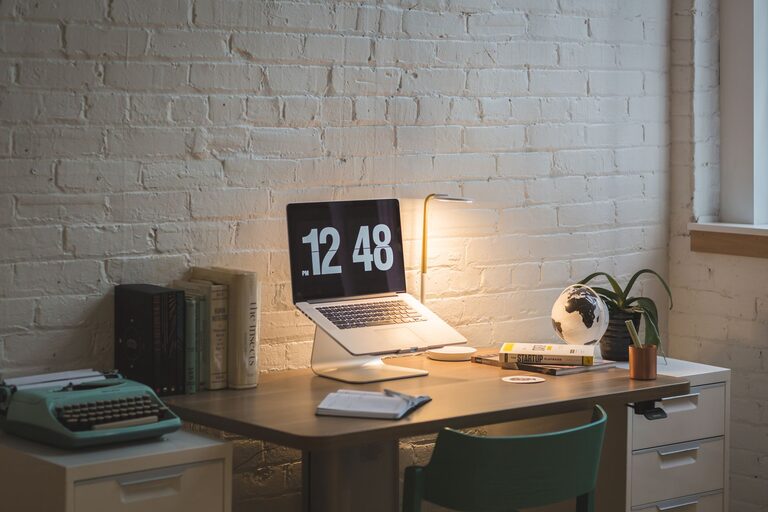
Creating a comfortable and productive home office is essential for anyone working remotely or managing tasks from home. A well-designed workspace can help you focus better, reduce stress, and increase efficiency throughout your workday. Whether you have a dedicated room or just a corner in your living space, following a few thoughtful tips can transform your home office into a pleasant and inspiring environment.
Choose the Right Location
The first step in setting up a home office is selecting the right spot. Ideally, pick a quiet area with minimal distractions and good natural light. If possible, use a separate room to clearly define work and personal spaces, helping you mentally switch between work mode and relaxation.
Consider Natural Light
Natural light boosts mood and reduces eye strain. Position your desk near a window to take advantage of daylight but avoid glare on your computer screen by using curtains or blinds. If natural light is scarce, invest in quality task lighting that mimics daylight to keep your space bright and inviting.
Invest in Ergonomic Furniture
Comfort is key when working for hours at a time. Ergonomic furniture supports your body and helps prevent fatigue and injury.
Desk and Chair
– Desk: Choose a desk that fits your space and allows enough room for your computer, documents, and other tools. Adjustable desks that allow standing and sitting options are excellent for posture variety.
– Chair: Invest in an ergonomic chair with adjustable height, lumbar support, and comfortable cushioning. Your feet should rest flat on the floor, and your arms should be at a 90-degree angle when typing.
Organize Your Workspace Effectively
A tidy, organized space reduces distractions and saves time looking for supplies.
Declutter Regularly
Keep only essential items on your desk. Use drawers, shelves, or storage boxes to store papers, stationery, and electronics that you don’t use daily.
Use Organizational Tools
– Desk organizers and trays for pens, papers, and gadgets
– Cable management solutions to avoid tangled wires
– Filing systems (digital or physical) to keep documents orderly
Set Up Technology Thoughtfully
Reliable technology is crucial for productivity. Ensure your computer, internet connection, and other devices meet your work needs.
Tech Essentials
– A high-speed internet connection
– A comfortable keyboard and mouse
– A good-quality webcam and microphone for video calls
– Backup power supply or surge protectors to prevent disruptions
Personalize Your Space
Adding personal touches makes the home office feel inviting and motivating.
– Display photos, artwork, or plants that make you happy
– Choose colors that inspire focus or calmness, such as soft blues or greens
– Use inspiring quotes or a vision board to keep your goals top of mind
Manage Noise Levels
Noise can be distracting and hinder concentration.
– Use noise-cancelling headphones if your environment is noisy
– Consider white noise machines or background music to mask disturbances
– Communicate with household members about your working hours to minimize interruptions
Maintain a Work-Life Balance
Having a home office doesn’t mean you should be working all the time. Creating boundaries is vital.
– Set and stick to regular working hours
– Take short breaks throughout the day to stretch and relax
– Avoid using your workspace for non-work-related activities during business hours to stay focused
Keep It Clean and Fresh
A clean and fresh environment supports mental clarity and comfort.
– Dust and wipe down surfaces regularly
– Air out the room to keep the space fresh
– Use air purifiers or add plants to improve air quality
Final Thoughts
Designing a comfortable and productive home office requires some planning, but the benefits are worth the effort. By choosing the right location, investing in ergonomic furniture, organizing thoughtfully, and personalizing your space, you create an environment where you can work efficiently and feel good doing it. Remember, an effective home office supports not just your tasks, but your overall well-being.