
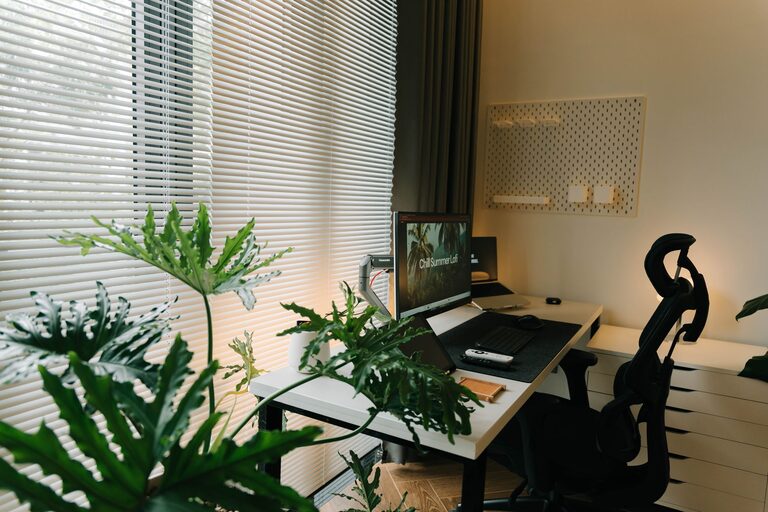
Creating a relaxing home workspace is essential for maintaining productivity and reducing stress, especially when working remotely. A well-designed area can help you stay focused, motivated, and comfortable throughout your workday. Here are practical tips to help you set up a peaceful and productive home office that suits your needs.
Choose the Right Location
Selecting the right spot in your home is the first step to a relaxing workspace.
– Quiet and Private: Pick a space away from household noise and distractions. If that’s not possible, consider noise-cancelling headphones or white noise machines.
– Natural Light: A spot near a window can offer daylight, which boosts mood and energy levels. If natural light isn’t an option, invest in good-quality lighting.
– Ventilation: Fresh air is key to staying alert. Make sure your workspace is well-ventilated or open a window occasionally.
Invest in Comfortable Furniture
Comfort plays a big role in how relaxed and productive you feel.
– Ergonomic Chair: Choose a chair that supports your back and promotes good posture. This reduces fatigue and discomfort.
– Desk Height: Your desk should allow you to work with your arms at a 90-degree angle. Adjustable desks are a great option if you want to switch between sitting and standing.
– Sufficient Space: Make sure your desk is large enough for your computer, notebook, and any other essentials without feeling cluttered.
Organize for Clarity and Calm
Clutter can increase stress and decrease focus. Create a system that keeps your workspace tidy.
– Declutter Regularly: Set aside a few minutes at the end of each day to clear your desk.
– Storage Solutions: Use shelves, drawers, or organizers to store items you don’t need every day.
– Essential Items Only: Keep only the tools and documents you frequently use within arm’s reach.
Use Soothing Colors and Decor
Colors and decor affect your mood and energy, so choose them thoughtfully.
– Calming Colors: Soft blues, greens, and neutrals encourage relaxation and concentration.
– Personal Touches: Add plants, artwork, or photos that make you feel happy but don’t distract.
– Minimalist Approach: Avoid overdecorating. A simple design promotes a clear mind.
Incorporate Greenery
Adding plants to your home workspace is not only decorative but also beneficial for your well-being.
– Air Quality: Plants help improve indoor air quality by absorbing pollutants.
– Stress Reduction: Studies show that having greenery nearby can reduce stress and increase productivity.
– Easy Maintenance: Choose low-maintenance plants like succulents, snake plants, or pothos for busy schedules.
Manage Technology and Cables
Technology is necessary but can be a source of frustration if not organized.
– Cable Management: Use clips, sleeves, or boxes to keep cables neat and prevent tangles.
– Screen Position: Position your computer monitor at eye level to avoid neck strain.
– Tech Breaks: Remember to take breaks from screens to rest your eyes and mind.
Establish a Routine and Boundaries
A relaxing workspace also depends on how you use it daily.
– Set Working Hours: Define clear start and finish times to prevent overworking.
– Breaks and Movement: Take regular breaks to stretch and move around, which helps refresh your mind.
– Limit Distractions: Inform family members about your work hours, and mute unnecessary notifications during focused sessions.
Add Elements for Comfort and Relaxation
Small touches can enhance your overall comfort and keep stress at bay.
– Comfort Items: Have a soft cushion, a cozy blanket, or an anti-fatigue mat if standing.
– Aromatherapy: Scents like lavender or eucalyptus can promote relaxation.
– Sound: Background music or nature sounds can help with concentration, depending on your preferences.
Final Thoughts
Designing a relaxing home workspace takes a bit of planning but pays off in increased productivity and well-being. By selecting the right location, investing in comfortable furniture, organizing your space, and adding calming elements, you create an environment where you can work effectively and feel good doing it. Remember, your workspace should reflect your personal needs, so take time to adjust and improve it as you go.